This site uses third-party website tracking technologies to provide and continually improve our services, and to display advertisements according to users' interests. I agree and may revoke or change my consent at any time with effect for the future.
Every IT team and MSP knows the feeling. User access requests are piling up while you're still manually reviewing spreadsheets. Automated identity lifecycle management can eliminate this bottleneck.
Compliance auditors ask for proof of who changed what, when, and you're scrambling through Slack threads and email chains.
Traditional change management processes weren't built for the speed and complexity of modern SaaS stacks. When your team manages hundreds of apps, each with its own admin console and permission model, manual change control becomes a bottleneck. It's not a safeguard.
This guide covers what modern change management software does, why legacy tools fall short, and how to choose a platform for your environment. We'll cover essential features, evaluate leading solutions, and explore emerging trends, such as autonomous governance, that are reshaping how IT teams manage change at scale.
What Is Change Management Software?
Change management software is a platform that helps IT admins approve, track, and audit changes to systems, applications, and user access. It standardizes how modifications move from request to implementation, ensuring every change is documented, reviewed for risk, and aligned with security and compliance requirements.
At its core, change management software answers three critical questions: Who requested this change? What's the potential impact? Who approved it?
Whether you're provisioning a new user in Salesforce, updating firewall rules, or decommissioning an unused license, the platform creates a traceable record. It enforces your approval workflows.
For SaaS-heavy environments, this extends beyond infrastructure changes. Modern platforms track application-level modifications, role assignments, permission escalations, and integration updates across your entire tech stack. The goal is visibility and control without sacrificing speed.
Why Traditional Change Tools Fail Today
Legacy change management tools were designed for on-premise infrastructure with infrequent, high-stakes changes. They assume a centralized IT team controls every system, that changes happen during scheduled maintenance windows, and that approvals flow through formal CAB (Change Advisory Board) meetings.
That model breaks down in modern SaaS environments. Here's why:
Decentralized administration: Each SaaS app has its own admin console. Changes happen across dozens of platforms, often by department heads or power users, not just IT.
Constant updates: SaaS vendors push updates continuously. You're not managing quarterly releases; you're adapting to weekly feature rollouts and permission model changes.
Manual tracking overhead: Spreadsheets and ticketing systems can't keep pace with multi-application changes.
We've seen IT teams spend hours each week just documenting changes that already happened, let alone preventing risky ones before they go live. Traditional tools weren't built for this velocity or complexity.
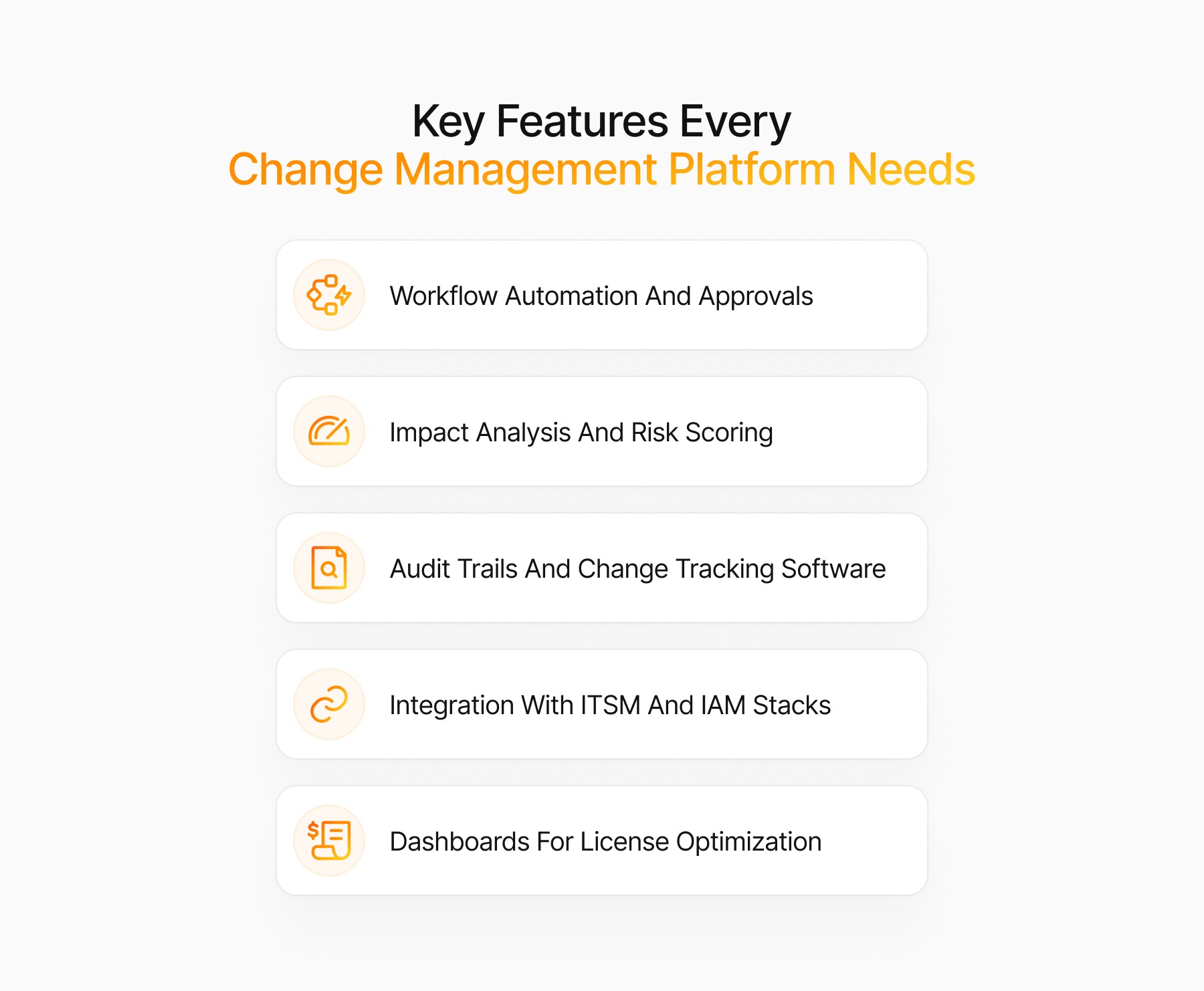
Key Features Every Change Management Platform Needs
Not all change management software platforms are created equal. Here are the non-negotiables for modern IT environments:
Workflow Automation And Approvals
Manual approval routing slows everything down. Look for platforms that automate workflows based on change type, risk level, and organizational policies. For example, low-risk changes (such as adding a user to a standard group) should auto-approve, while high-risk modifications (such as granting admin access) trigger multi-level reviews.
The best systems let you define approval chains by department, application, or compliance requirement, and route requests dynamically without hard-coding every scenario.
Impact Analysis And Risk Scoring
Before approving a change, you need to understand its blast radius. Impact analysis tools map dependencies, showing which systems, users, or workflows could be affected. Risk scoring adds a layer of intelligence, flagging changes that violate security policies, conflict with compliance frameworks, or introduce privilege creep.
Advanced platforms use historical data to predict risk. If similar changes caused incidents in the past, the system surfaces that context during the approval process.
Audit Trails And Change Tracking Software
Compliance audits demand proof: who made the change, when, why, and who authorized it. See how SaaS compliance governance works in practice. Your platform should create immutable audit logs for every modification, capturing before/after states, approval timestamps, and justification notes.
This isn't just for external audits. When an access issue arises, detailed change history helps you troubleshoot faster. Instead of asking "Did someone change Sarah's permissions?" you can see exactly what was modified and by whom.
Integration With ITSM And IAM Stacks
Change management doesn't exist in a vacuum. Your platform should integrate with your ITSM tools (ServiceNow, Jira, Freshservice), identity providers (Okta, Azure AD), and IAM governance systems. Seamless integration means change requests can trigger from existing workflows, and approval decisions sync back to your source systems automatically.
For SaaS environments, direct integrations with application APIs are critical. If your platform can't read and write changes to Salesforce, Google Workspace, or Slack, you're back to manual updates.
Dashboards For License Optimization
Change management and license optimization are deeply connected. Every time you provision or deprovision a user, you're affecting license utilization. Smart platforms surface insights like unused licenses, redundant tool assignments, and opportunities to downgrade seats.
We've worked with teams who discovered they were paying for hundreds of inactive licenses simply because of ineffective offboarding processes. Dashboards that link change activity to license spend help you reclaim budget and maintain hygiene. Explore how license optimization surfaces cost savings.
Top Change Management Software And Tools
Here's a breakdown of leading platforms, from enterprise ITSM suites to specialized SaaS governance tools:
1. ServiceNow IT Change Management
ServiceNow is the heavyweight ITSM platform with robust change management modules. It excels at complex, multi-stakeholder approval workflows and integrates with virtually every enterprise system. Best for large organizations with dedicated ServiceNow admins, but expect a steep learning curve and significant implementation costs.
2. Jira Service Management
Jira Service Management (formerly Jira Service Desk) brings Atlassian's familiar interface to IT service management. It's developer-friendly, integrates natively with DevOps toolchains, and supports custom workflows. Ideal for tech-forward teams already using Jira for project management.
3. Freshservice
Freshservice offers an intuitive, affordable ITSM platform with built-in change management. It's easier to deploy than ServiceNow and includes AI-powered automation. A solid choice for mid-sized companies seeking ITIL-aligned processes without enterprise complexity.
4. BMC Helix
BMC Helix is an enterprise-grade ITSM suite with advanced change management and AI-driven insights. It's built for highly regulated industries (finance, healthcare) where compliance and audit trails are paramount. Expect robust features but also enterprise pricing.
5. Josys Autonomous Change Governance
Josys takes a different approach: autonomous governance for SaaS environments. Instead of bolting change management onto a traditional ITSM platform, Josys monitors your SaaS stack in real time, detects risky changes, and enforces policies automatically.
It integrates with IdP systems to manage user lifecycle changes, discovers shadow IT, and optimizes licenses, all from a single dashboard. Built for IT leaders managing hundreds of SaaS applications who need speed without sacrificing control.
6. Qualio Change Control Software
Qualio specializes in change control for life sciences and regulated industries. It's designed around FDA and ISO compliance requirements, with validated workflows and electronic signatures. If you're in pharma or medical devices, Qualio's industry-specific features are worth evaluating.
7. GitLab Change Management Tools
GitLab's change management capabilities are embedded in its DevOps platform. It's ideal for managing infrastructure-as-code changes, tracking deployments, and automating approval gates in CI/CD pipelines. Not a standalone change management tool, but powerful for engineering-led organizations.
8. WalkMe Change Management Platform
WalkMe focuses on user adoption and change enablement. It's less about technical change control and more about guiding employees through new workflows and system updates. Useful as a complementary tool for rolling out major application changes.
9. Odoo Open Source Change Software
Odoo's change management module is part of its broader ERP suite. It's customizable and cost-effective, especially for organizations already using Odoo. However, it requires technical expertise to configure and lacks the depth of dedicated ITSM platforms.
10. ChangeGear IT Change Management Tool
ChangeGear is a mid-market ITSM platform with solid change management features. It's ITIL-aligned, offers configurable workflows, and integrates with common IT tools. A practical option for organizations seeking ITSM functionality without ServiceNow's price tag.
Open Source And IT Change Management Software Options
Open-source change management software offers flexibility and cost savings but requires in-house expertise to deploy and maintain. Here are notable options:
Odoo Community Change Management App
The community edition of Odoo includes basic change management functionality. It's free and customizable, but lacks enterprise support and advanced automation. Best for small teams with technical resources.
iTop IT Change Management Tool
iTop is a fully-featured open source ITSM platform with change management, incident tracking, and CMDB capabilities. It's ITIL-compliant and actively maintained. The trade-off: you'll need to host and manage it yourself.
GitLab Free Change Request Management Software
GitLab's free tier includes issue tracking and merge request workflows, which can function as lightweight change request management for infrastructure and code changes. It's not a full ITSM solution, but it works well for DevOps-centric teams.
Phabricator Change Tracking Software
Phabricator (now in maintenance mode) offered code review and change tracking for development teams. Although no longer actively developed, some organizations still use it to manage code-level changes.
Change Control vs. Change Management vs. Change Request Tracking
These terms are often used interchangeably, but they represent different scopes:
Change control is the formal process of evaluating, approving, and documenting changes. It's the governance layer, the policies, approval gates, and audit requirements.
Change management is broader. It encompasses change control, as well as planning, communication, training, and measuring outcomes. It's the entire lifecycle from "we need to change something" to "the change is complete, and users are onboarded."
Change request tracking is the operational mechanism that includes ticketing, status updates, and workflow routing. It's the "how" of managing change requests through their lifecycle.
Most platforms bundle all three, but understanding the distinction helps you evaluate whether a tool meets your needs. If you only need request tracking, a lightweight ticketing system may suffice. If you need full governance, look for platforms with robust control and audit features.
How To Choose The Best Change Management Solution
Selecting the right platform requires aligning technical capabilities with organizational needs. Here's a practical framework:
1. Map Regulatory And Security Requirements
Start with compliance. Are you subject to SOC 2, ISO 27001, HIPAA, or GDPR? Your platform must support required audit trails, approval workflows, and data residency.
List your non-negotiables before evaluating features.
2. Audit Current Change Processes
Document how changes happen today. Where are the bottlenecks? What breaks most often?
Which changes consume the most manual effort? This baseline helps you prioritize features and measure improvement post-implementation.
3. Evaluate Feature Fit And Integrations
Match features to your environment. If you manage primarily SaaS applications, prioritize API integrations and license optimization.
If you're infrastructure-heavy, focus on CMDB integration and impact analysis. Don't pay for enterprise features you won't use.
4. Calculate Total Cost Of Ownership
Look beyond sticker price. Factor in implementation costs, training, ongoing administration, and integration fees.
Some platforms charge per user, per change request, or per integrated application. A "free" open source tool may cost more in admin time than a commercial SaaS platform.
5. Run A Pilot And Measure Time To Value
Test your top two or three options with a pilot project. Track metrics like approval cycle time, change-related incidents, and admin hours saved. The platform that delivers measurable value fastest is usually the right choice.
Pricing Models And Hidden Licensing Costs
Change management platforms use varied pricing models. Common structures include:
Per-user licensing: You pay per IT staff member or end user. Costs scale with headcount, which can get expensive fast.
Per-application fees: Some SaaS-focused platforms charge per integrated application. If you manage 100+ apps, this adds up.
Tiered plans: Feature access varies by plan tier. You may start on a basic plan and outgrow it quickly, forcing an expensive upgrade.
Implementation and professional services: Enterprise platforms often require paid implementation. Budget 20-50% of annual license costs for deployment.
Hidden costs include API rate limits (you may need premium tiers for real-time sync), storage fees for audit logs, and charges for premium integrations. Always ask for total cost of ownership projections over three years.
Emerging Trends In AI-Driven And Autonomous Change Governance
The next generation of change management uses AI and automation to reduce manual oversight. It improves security and compliance. 63% of breached organizations lack AI governance policies.
AI Policy Creation And Privilege Management
AI-driven platforms analyze historical access patterns to recommend least-privilege policies. Instead of manually defining who should have access to what, the system suggests policies based on actual usage and role similarities. This dramatically reduces privilege creep and speeds up policy creation.
Shadow IT Detection And License Cleanup
Autonomous governance tools continuously scan your environment for unauthorized applications and unused licenses. When shadow IT is detected, the platform can automatically trigger a review workflow or even revoke access based on predefined policies. We've seen organizations reclaim six figures in wasted SaaS spend using these capabilities.
Real Time Risk Scoring
AI systems assess risk in real time by comparing proposed changes against your security posture, compliance requirements, and historical incident data. High-risk changes are flagged or blocked automatically, while low-risk modifications flow through without manual review.
Autonomous Change Governance For Modern IT Teams
Modern IT environments demand more than traditional change control. You need a platform that keeps pace with SaaS complexity, automates routine decisions, and surfaces risks before they become incidents.
Josys delivers autonomous change governance purpose-built for SaaS-heavy organizations. Discover the full capabilities of the Josys platform. We help IT leaders manage user lifecycle changes, discover shadow IT, enforce least-privilege policies, and optimize license spend, all from a single platform.
Instead of reacting to changes after they happen, you gain proactive control without slowing down your team. Book a demo to learn more.
FAQs About Change Management Software
How long does change management software implementation typically take?
Implementation timelines vary widely. Lightweight SaaS platforms can be operational in 2-4 weeks with minimal configuration. Enterprise ITSM suites like ServiceNow often require 3-6 months for full deployment, including workflow design, integrations, and user training.
SaaS and identity focused tools like Josys typically deploy faster, often within days, because they're pre-configured for common use cases and integrate via APIs rather than requiring custom development.
Can Change Management Platforms Integrate With Identity Governance Systems?
Yes, most modern platforms support integration with IAM and IGA systems. These integrations enable automated provisioning workflows, synchronize approval decisions, and ensure access changes are reflected across your identity stack. Look for platforms with pre-built connectors or robust API support to avoid custom integration work.
What metrics best demonstrate ROI for change management tools?
Focus on time savings, risk reduction, and cost avoidance. Key metrics include: approval cycle time (before vs. after), change-related incidents, hours saved on manual tracking, and license savings from automated deprovisioning.
For compliance-driven organizations, audit preparation time is another strong indicator of ROI. Read how ebbo reduced compliance burden with automated SaaS management.
How does SaaS change management differ from traditional on-premise change control?
SaaS change management operates at the application level rather than the infrastructure level. Changes happen continuously across dozens of decentralized admin consoles, often by non-IT users.
Traditional change control assumes centralized IT ownership and scheduled maintenance windows. SaaS-focused platforms prioritize API integrations, real-time monitoring, and automated policy enforcement over formal CAB processes.